How to Choose the Best Printer for Home and Office Use
Introduction
Choosing the right printer can make everyday tasks easier, whether you’re printing school assignments, working from home, managing business documents, or producing high-quality photographs. With so many printer types and features available, finding the right option can feel overwhelming.
The best printer depends on your printing habits, budget, desired print quality, and the features you need. In this guide, Print Soft Tech explains the key factors to consider before purchasing your next printer.
1. Understand the Different Types of Printers
Before comparing specific models, it’s helpful to understand the main printer technologies.
Inkjet Printers
Inkjet printers spray tiny droplets of ink onto paper to create text and images. They are versatile and often suitable for home users, students, and people who print photographs or colorful documents.
Best for: Home printing, school projects, graphics, and photos.
Laser Printers
Laser printers use toner and a laser-based imaging process to produce printed documents. They are often a practical choice for text-heavy printing and busy office environments.
Best for: Business documents, reports, invoices, and regular office printing.
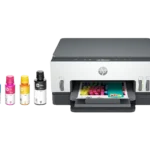
Ink Tank Printers
Ink tank printers use refillable ink reservoirs instead of conventional disposable ink cartridges. They can provide a lower cost per page for users who print frequently, although the initial purchase price may be higher.
Best for: Families, home offices, and small businesses with regular printing needs.
2. Consider Your Printing Volume
Think about how many pages you print in a typical week or month.
If you print only occasionally, a basic home printer may be sufficient. If you regularly print reports, worksheets, invoices, or other documents, consider a printer designed for your expected workload.
Look at the recommended monthly print volume and duty cycle specifications when comparing business printers.
3. Check Print Quality and Speed
Print quality and speed are important, but their importance depends on your intended use.
- Resolution: Higher resolution can help produce finer detail, especially in images and graphics.
- Print speed: Measured in pages per minute (PPM), this indicates how quickly a printer can produce pages under specified conditions.
- Colour printing: Useful for photographs, presentations, charts, and marketing materials.
- Duplex printing: Automatically prints on both sides of compatible paper, helping reduce paper consumption.
Remember that actual print speed and quality vary depending on settings, document complexity, paper, and printer model.
4. Look for the Right Connectivity Options
Modern printers may offer several ways to connect to your devices.
- USB: Useful for a direct connection to a computer.
- Wi-Fi: Allows compatible devices to print over a wireless network.
- Ethernet: Often useful in offices that require a wired network connection.
- Mobile printing: Some printers support printing from smartphones and tablets through compatible apps or services.
Choose connectivity features that suit your home or workplace setup.
5. Calculate the Total Cost of Ownership
The purchase price is only one part of a printer’s overall cost. You should also consider ink or toner, paper, maintenance, and replacement parts.
Compare the estimated cost per page when reliable figures are available. Cartridge yield, print coverage, and usage patterns can affect actual costs.
A printer with a higher upfront price may offer better long-term value if its running costs are lower for your printing volume.
6. Decide Whether You Need an All-in-One Printer
Multifunction printers combine two or more capabilities, typically printing, scanning, and copying.
They can be especially useful for home offices, students, and small businesses that handle both digital and paper documents.
If you regularly digitize records or copy paperwork, these additional functions may save space and simplify daily tasks.
Conclusion
Choosing the best printer starts with understanding your needs. Consider the type and volume of documents you print, the importance of colour quality, connectivity requirements, and ongoing operating costs.
By comparing these factors before purchasing, you can identify a printer that fits your workflow and budget.
Explore Print Soft Tech for practical printer guides, feature comparisons, and helpful resources to support your next printing decision.