10 Practical Ways to Reduce Printer Ink and Printing Costs
Introduction
Printing expenses can add up faster than expected. Ink cartridges, toner, paper, and replacement supplies all contribute to the cost of keeping a printer running.
Whether you print at home, manage a small business, or work in an office, a few simple changes can help you control expenses without compromising the quality of important documents.
Here are ten practical ways to make your printing more efficient.
1. Use Draft Mode for Everyday Documents
Many printers offer a draft or economy mode that uses less ink or toner for suitable documents.
This setting is often appropriate for internal notes, rough drafts, and reference copies. For presentations, photographs, or client-facing materials, use a quality setting that delivers the results you need.
2. Print in Black and White When Possible
Colour printing can consume more supplies than monochrome printing, depending on the document and device.
If a document does not require colour, choose grayscale or black-and-white printing. Check your printer settings before printing large batches of text-heavy documents.
3. Use Double-Sided Printing
Automatic duplex printing allows a compatible printer to print on both sides of a sheet.
This can reduce paper consumption for reports, manuals, study materials, and other multi-page documents. If your printer does not support automatic duplexing, manual two-sided printing may be possible.
4. Preview Documents Before Printing
A quick preview can help you catch blank pages, incorrect formatting, unnecessary images, and content that spills onto an extra page.
Check page ranges and layout settings before printing lengthy documents. Printing only the pages you need can also reduce waste.
5. Compare Ink and Toner Costs
Do not compare supplies by purchase price alone. Check the stated page yield, printer compatibility, and expected use.
A cartridge with a lower purchase price may not offer the lowest cost per page. Similarly, high-yield cartridges may be more economical for users who print frequently.
Actual yields vary with page coverage, settings, and usage.
6. Choose a Printer That Matches Your Print Volume
Printer technologies have different cost structures.
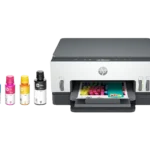
Inkjet printers can be versatile for mixed documents and photos, laser printers can suit text-heavy workloads, and ink tank printers can offer economical high-volume printing.
Before buying, estimate your monthly print volume and compare the total cost of ownership rather than focusing only on the initial price.
7. Maintain Your Printer Properly
Routine maintenance can help prevent avoidable printing problems.
Follow the manufacturer’s recommendations for cleaning, printhead maintenance, firmware updates, and supply replacement. Avoid unnecessary cleaning cycles, since some inkjet maintenance operations consume ink.
Use the correct procedure for your printer model.
8. Choose Suitable Paper
Using appropriate paper can help improve print results and reduce misprints.
Match the paper type and weight to your printer’s specifications. Use plain paper for everyday documents and compatible photo paper for photographs or image-heavy projects.
Incorrect paper settings can affect print quality and may lead to wasted supplies.
9. Avoid Unnecessary Colour and Image Coverage
Large solid-colour backgrounds and full-page images may use substantially more ink or toner than ordinary text.
For internal documents, consider simpler layouts and lighter backgrounds when colour is not essential. Keep full-colour designs for situations where visual impact matters.
10. Track Your Printing Habits
Understanding what you print can help you identify opportunities to save.
For a home office or business, periodically review print volume, paper usage, and supply purchases. Digital document sharing may replace some unnecessary printing, while print batching can help organize related tasks efficiently.
Bonus Tip: Check Compatibility Before Buying Supplies
Always verify the exact printer model and the manufacturer’s supply recommendations before purchasing cartridges, toner, or refill ink.
Using incompatible supplies may lead to poor results or equipment problems. Check the manufacturer’s warranty terms and guidance before using third-party or refill products.
Conclusion
Reducing printing costs does not have to mean sacrificing quality. Draft mode, duplex printing, document previews, appropriate paper, and informed supply choices can all contribute to more efficient printing.
The best savings strategy depends on how often you print and which printer you use.
Visit Print Soft Tech for more practical advice on printer selection, maintenance, ink and toner, and cost-effective printing habits.